

Omegon
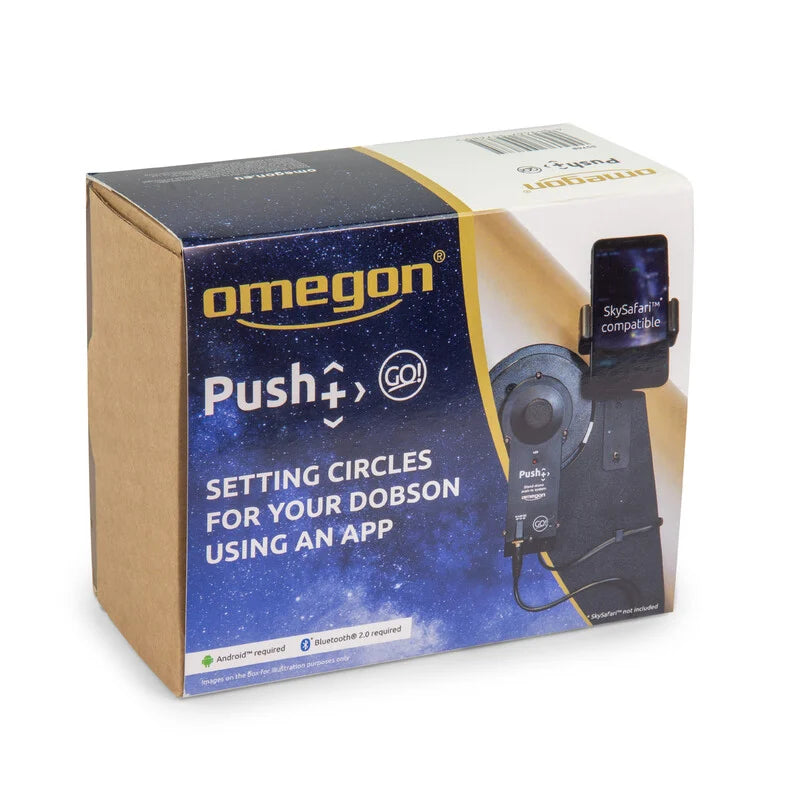
Push+ Go standalone coding system
Push+ Go standalone coding system
In stock
Couldn't load pickup availability
- SECURE PAYMENT
- FAST SHIPPING AVAILABLE
- EXPERT CONSULTING
Tired of searching for celestial objects? Find now all the objects that the sky offers you without having to search.
Surely more than once you have found yourself searching for that faint galaxy, so tempting but so difficult to locate because there are hardly any points that serve to orient yourself. From now on you will not have to use your Dobson telescope to search for each object without help. It's much easier: the Push+ Go set turns your Dobson telescope into an effective object finder. Your telescope is still a manually controlled instrument, but with wonderful technical support.
In summary, these are the advantages it offers:
- Installation of the system to find celestial objects with Push-to technology for the Omegon Advanced X, GSO Classic, Orion SkyQuest Dobson and ICS Galaxy Dobson telescopes
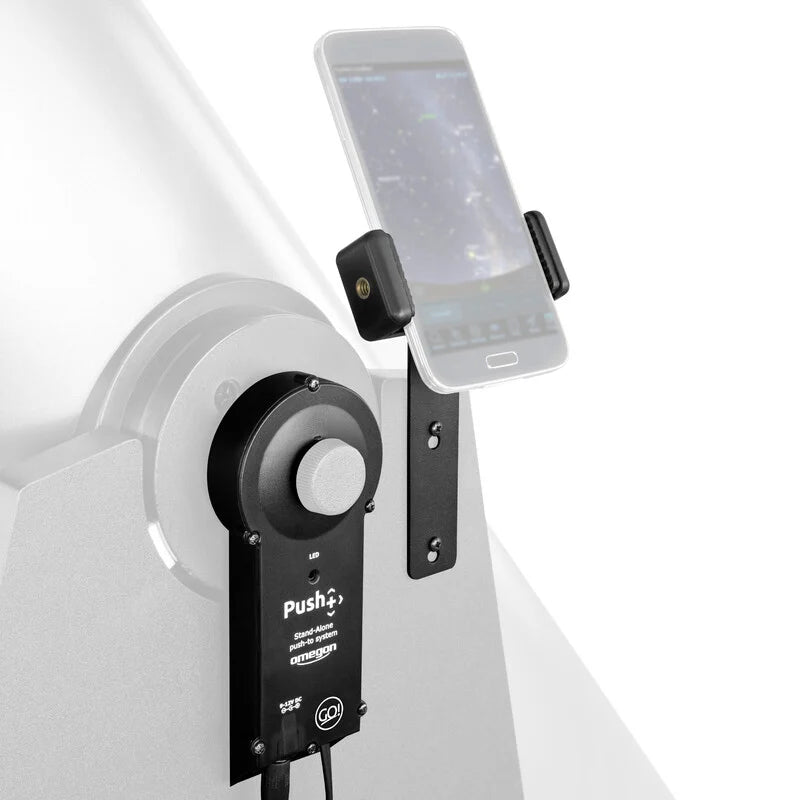
- Two precise digital encoders, with which your telescope knows exactly where it is. With your software or your app you can now track every movement and every step in the sky
- Bluetooth 2.0 for a convenient wireless connection with your smartphone; It has a range of 10 meters
- Super-compact external battery so you don't have to worry about having the right power source
- Easy assembly, in just 10-15 minutes
- Smartphone holder: suitable for models up to 74 mm wide.
Simply install the system and travel to the stars
Transforming your Dobsonian telescope into a unique object finding system is easy with this self-contained Push+ Go set. You already have all the parts you need. In just a few steps, you can have everything installed in just 10-15 minutes.
Digital encoder: your telescope's compass
Your telescope will immediately tell you where you are. This is possible thanks to two digital encoders on the azimuth and elevation axes. It is a similar technique to that used by GoTo mounts. High resolution encoders count each step when you move the mount (the rockerbox) in a certain direction.
Bluetooth 2.0
The wireless connection to your smartphone is established via Bluetooth 2.0. Simply place your phone on the holder and say goodbye to the mess of cables.
With the right app it is very easy
Your Android smartphone (not included) becomes a navigator for the starry sky. Push+ Go works best with the Sky Safari 4 Plus ® astronomy app or higher (not included, paid app on PlayStore). The screen displays a digital star map that tells you exactly where you are. Then select the corresponding stars, planets and nebulae. Move the telescope toward your object and at the same time your telescope's finderscope will move across the sky like a crosshair. Unlike with a GoTo system, you can still enjoy that Dobson telescope feeling. And searching for objects will seem as easy and intuitive as riding a bicycle.
Browse with your computer
Can't use the system without a smartphone? Of course! With Stellarium® or Cartes du Ciel® software. Simply install one of these free programs on your laptop and you'll be ready to sail to the stars wirelessly. With both a smartphone and a computer, you can connect to the telescope thanks to the Bluetooth 2.0 connection.
External battery included
Haven't located a power source for the Push+ Go yet? You have nothing to worry about, because the power supply is already included.
The external battery is light, extremely compact and can last all night. You just have to attach it to the mount (the rockerbox) with the corresponding support. That means you just need to plug in the cable and power on.
Do you want to find an object, no matter how faint, with your Dobson telescope? Then choose Push+ Go. Finding celestial objects will be a very easy task from now on.
Apt to:
Omegon Dobson Advanced XN 203/1200, 254/1250, 304/1500
GSO classic 203 mm, 254 mm and 304 mm optics
Orion® SkyQuest XT4.5, XT8, XT10 and XT12 Classic Dobson Telescopes
TS Dobsons Classic Line
ICS Galaxy Dobson
Only available for Android and computer.
Includes:
- Lift Encoder and Bluetooth Box
- Azimuth encoder
- USB to 12V converter cable
- Extreme battery
- Smartphone holder
Specifications
| Ability | |
| Electrical power consumption (mA) | 150 |
| Power supply | 12 |
| Peculiarities | |
| GoTo system | PushTo |
| Equipment | |
| Batteries included in the scope of delivery | Yeah |
| In general | |
| Weight (g) | 400 |
| Series | Push+ |
| Color | black |
| GoTo | |
| Alignment process | 2 stars |


⚠️ NOTAS DE ADVERTENCIA
GAFAS PARA LA OBSERVACIÓN DE ECLIPSE
- INSTRUCCIONES: Revise antes de cada uso. No utilice ni deseche si está dañado, rasgado, perforado o separado de alguna manera del marco. No lo use con otros dispositivos ópticos. No es un juguete. Los niños deben usarlo solo bajo la supervisión de un adulto. Limítese a 3 minutos de uso continuo, con interrupciones durante varias horas. No se mueva mientras usa este producto, no conduzca un vehículo ni opere maquinaria. No lo use si tiene un ojo enfermo o después de una operación ocular.
- ADVERTENCIA: Nunca mire directamente al sol sin protección ocular especial. Siempre use gafas de eclipse al observar el eclipse solar, especialmente si una parte del sol es visible. Mirar directamente al sol puede causar daños permanentes si no se toman las precauciones adecuadas. Se debe usar protección ocular adecuada, diseñada específicamente para la observación solar, para evitar que los rayos dañinos del sol lleguen a los ojos. Deséchelo después de 3 años y no lo utilice después de ese tiempo.
OBSERVACIÓN SOLAR CON TELESCOPIO
- Nunca mire al sol a través de un ocular/telescopio sin un filtro de protección verificado. Un filtro lunar nunca puede usarse para la observación solar. El filtro lunar solo es adecuado para la observación de la luna. El filtro solar debe montarse en la apertura del telescopio, no en el ocular. De lo contrario, el rayo de luz concentrado por la óptica destruirá inmediatamente la película del filtro, lo que provocará daños oculares graves e incluso ceguera total.
- Revise el filtro solar antes de cada observación solar y asegúrese de que no esté dañado. Manténgalo frente a una fuente de luz intensa para poder detectar posibles grietas y/o agujeros. No use el telescopio para la observación solar, incluso si el filtro solar está solo ligeramente dañado. En este caso, comuníquese con el fabricante para obtener las piezas de repuesto correspondientes.
- Siempre use el filtro solar cuando observe el sol. Asegúrese de que este filtro esté colocado correctamente en el telescopio según las instrucciones. El uso del filtro solar está destinado únicamente para su uso con este telescopio.
- Revise el ajuste del filtro solar antes de cada observación solar. Si se suelta accidentalmente de la abertura del objetivo, esto puede causar daños oculares inmediatos y permanentes, e incluso ceguera.
- Si el filtro solar no puede montarse de manera suficientemente firme en el tubo, mejore el ajuste colocando varias tiras de fieltro autoadhesivas o similares entre el filtro solar y la abertura del objetivo. Nunca use el filtro solar si no puede colocarse correctamente en el telescopio. En tal caso, siempre contacte primero con nuestro servicio al cliente.
- Tenga mucho cuidado al observar el sol. Incluso una mirada corta a través de la óptica sin protección puede causar daños oculares graves e incluso ceguera total.
- Los niños, incluso con el filtro montado correctamente, no deben mirar al sol a través del telescopio. Nunca deje a los niños sin supervisión.
- Nunca deje la óptica sin supervisión. Los niños y los adultos inexpertos podrían dirigir el telescopio hacia el sol sin las precauciones adecuadas y perder la vista.
- No realice observaciones solares sin la consulta previa de un médico después de una operación ocular o cualquier otra enfermedad ocular.
- Las ondas/pliegues en la película son normales y no constituyen un defecto del producto.
- No exponga el dispositivo a altas temperaturas.
ADVERTENCIAS Y SEGURIDAD DE LAS PILAS
- NO USE pilas falsas en los productos. Use solo las pilas proporcionadas. Use la pila EXCLUSIVAMENTE para el propósito previsto.
- Guarde las pilas fuera del alcance de los niños y mascotas.
- NO USE pilas que parezcan tener la carcasa dañada, inflada o modificada. No use pilas que hayan goteado, huelan, estén hinchadas o derretidas o presenten abolladuras, óxido, grietas o rayones.
- La pila NO debe ser desmontada, aplastada, perforada, triturada ni manipulada de ninguna otra forma.
- La pila NO debe exponerse a líquidos.
- No debe intentar secar una pila mojada o húmeda con un dispositivo o fuente de calor.
- El dispositivo o la pila NO deben ser colocados cerca de una fuente de calor o bajo la luz solar directa.
- La pila NO debe tocar objetos metálicos.
- La pila NO debe ser almacenada junto a materiales peligrosos o inflamables. Guarde la pila en un lugar fresco, seco y bien ventilado.
- La pila NO debe insertarse incorrectamente al cargarla.
- La pila NO debe cargarse bajo luz solar directa ni a temperaturas extremas. Cárguela a temperatura ambiente (20 °C – 26 °C).
- Evite dejar caer la pila o el producto. Si sospecha que la pila está dañada, reemplácela.
- Nunca deje su dispositivo conectado a la corriente más de 24 horas. Deje que la pila se agote y luego recárguela.
- Para obtener los mejores resultados, reemplace las pilas según el uso después de 12 meses o antes.
- Siga las regulaciones locales para la eliminación de las pilas usadas. NO arroje la pila al fuego ni al agua.