

MAGUS
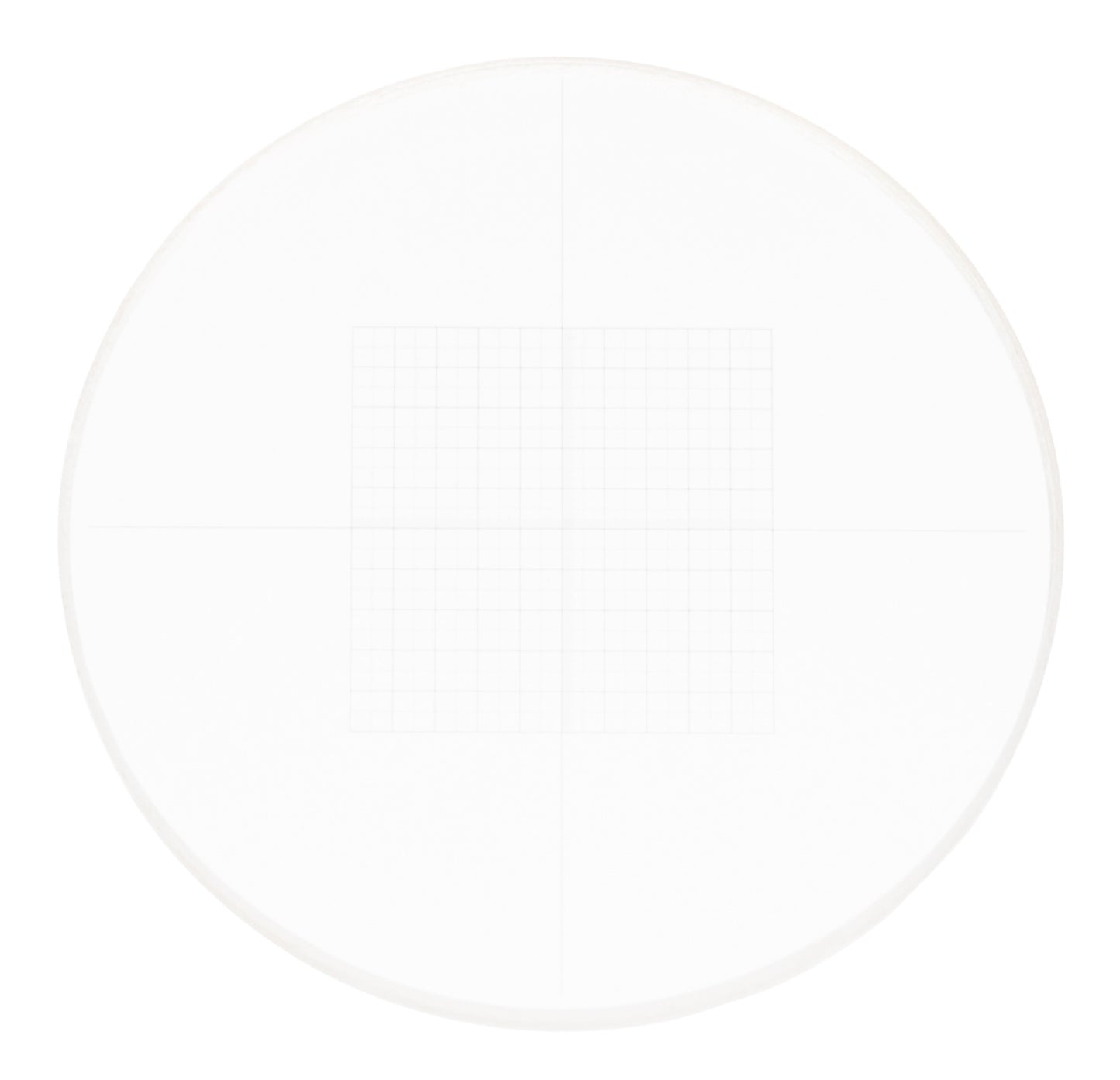
MAGUS CSS2 Calibration slide for stereomicroscopes (XY0.05)
MAGUS CSS2 Calibration slide for stereomicroscopes (XY0.05)
In stock
Couldn't load pickup availability
<p><strong>MAGUS CSS2 calibration slide for stereo microscopes (XY0.05)</strong><br>
X/Y axis micrometer scales with 0.05 mm scale division and a 10x10 mm reticle</p>
<p>A calibration slide for stereo microscopes.<br>
The slide has a 10x10 mm reticle engraved on it. In the center of the slide, there are reticles: two 200-division micrometer scales. The scale division is 0.05 mm, and the length of each scale is 10 mm. <br>
The calibration slide (stage micrometer) is used to determine the magnification, the linear field of view of the microscope, and the division value of the eyepiece scales and reticles. <br>
With a digital camera, the slide is used to calibrate the image analysis software for each objective.</p>
<p><strong>Calibration of image analysis software</strong></p>
<p>Calibration is performed for each objective that will be used in observations. The calibration slide is used to determine the calibration factor for the image analysis software. </p>
<p>Calibration procedure:</p>
<ol>
<li>Fix the calibration slide on the microscope stage.</li>
<li>Select the desired objective and set the camera to maximum resolution.</li>
<li>Get a contrast image of the stage on the monitor screen and capture the image.</li>
<li>Select the "Calibration" mode in the image analysis software.</li>
<li>Click the mouse to define the maximum visible distance between the first and last divisions of the scale.</li>
<li> Enter the resulting scale size in real units into the image analysis software.</li>
<li> Enter the calibration name by specifying the current objective magnification. </li>
<li>Check the result: in "Measurement" mode, measure a few divisions of the calibration slide scales in real units.</li>
<li> The image analysis software will save the calibration factor under the selected name. After that, it will automatically convert the results to the selected units of measure.</li>
</ol>
<p><strong>Calibration of the eyepiece scale</strong></p>
<p>Calibration of the eyepiece scale is performed for each objective that will be used in observations. The calibration slide should be placed on the stage, and the microscope should be focused on the measuring scale. The eyepiece should be rotated in the eyepiece tube until the slide and eyepiece scales are aligned in parallel.</p>
<p>The calculation for each objective is performed according to the formula: <br>
Е=ТL/A, where<br>
E – eyepiece division value<br>
Т – stage division value specified on the stage micrometer (0.05 mm) <br>
L – number of divisions of the stage micrometer <br>
А – number of divisions of the eyepiece scale.</p>
<p>The resulting values of calculating the eyepiece scale division for each objective should be noted.</p>
<p>When measuring an object, you must first count the number of eyepiece scale divisions that the object spans. The result is multiplied by the previously calculated scale value for the selected objective. The resulting value will be the true linear value of the object.</p>
⚠️ NOTAS DE ADVERTENCIA
GAFAS PARA LA OBSERVACIÓN DE ECLIPSE
- INSTRUCCIONES: Revise antes de cada uso. No utilice ni deseche si está dañado, rasgado, perforado o separado de alguna manera del marco. No lo use con otros dispositivos ópticos. No es un juguete. Los niños deben usarlo solo bajo la supervisión de un adulto. Limítese a 3 minutos de uso continuo, con interrupciones durante varias horas. No se mueva mientras usa este producto, no conduzca un vehículo ni opere maquinaria. No lo use si tiene un ojo enfermo o después de una operación ocular.
- ADVERTENCIA: Nunca mire directamente al sol sin protección ocular especial. Siempre use gafas de eclipse al observar el eclipse solar, especialmente si una parte del sol es visible. Mirar directamente al sol puede causar daños permanentes si no se toman las precauciones adecuadas. Se debe usar protección ocular adecuada, diseñada específicamente para la observación solar, para evitar que los rayos dañinos del sol lleguen a los ojos. Deséchelo después de 3 años y no lo utilice después de ese tiempo.
OBSERVACIÓN SOLAR CON TELESCOPIO
- Nunca mire al sol a través de un ocular/telescopio sin un filtro de protección verificado. Un filtro lunar nunca puede usarse para la observación solar. El filtro lunar solo es adecuado para la observación de la luna. El filtro solar debe montarse en la apertura del telescopio, no en el ocular. De lo contrario, el rayo de luz concentrado por la óptica destruirá inmediatamente la película del filtro, lo que provocará daños oculares graves e incluso ceguera total.
- Revise el filtro solar antes de cada observación solar y asegúrese de que no esté dañado. Manténgalo frente a una fuente de luz intensa para poder detectar posibles grietas y/o agujeros. No use el telescopio para la observación solar, incluso si el filtro solar está solo ligeramente dañado. En este caso, comuníquese con el fabricante para obtener las piezas de repuesto correspondientes.
- Siempre use el filtro solar cuando observe el sol. Asegúrese de que este filtro esté colocado correctamente en el telescopio según las instrucciones. El uso del filtro solar está destinado únicamente para su uso con este telescopio.
- Revise el ajuste del filtro solar antes de cada observación solar. Si se suelta accidentalmente de la abertura del objetivo, esto puede causar daños oculares inmediatos y permanentes, e incluso ceguera.
- Si el filtro solar no puede montarse de manera suficientemente firme en el tubo, mejore el ajuste colocando varias tiras de fieltro autoadhesivas o similares entre el filtro solar y la abertura del objetivo. Nunca use el filtro solar si no puede colocarse correctamente en el telescopio. En tal caso, siempre contacte primero con nuestro servicio al cliente.
- Tenga mucho cuidado al observar el sol. Incluso una mirada corta a través de la óptica sin protección puede causar daños oculares graves e incluso ceguera total.
- Los niños, incluso con el filtro montado correctamente, no deben mirar al sol a través del telescopio. Nunca deje a los niños sin supervisión.
- Nunca deje la óptica sin supervisión. Los niños y los adultos inexpertos podrían dirigir el telescopio hacia el sol sin las precauciones adecuadas y perder la vista.
- No realice observaciones solares sin la consulta previa de un médico después de una operación ocular o cualquier otra enfermedad ocular.
- Las ondas/pliegues en la película son normales y no constituyen un defecto del producto.
- No exponga el dispositivo a altas temperaturas.
ADVERTENCIAS Y SEGURIDAD DE LAS PILAS
- NO USE pilas falsas en los productos. Use solo las pilas proporcionadas. Use la pila EXCLUSIVAMENTE para el propósito previsto.
- Guarde las pilas fuera del alcance de los niños y mascotas.
- NO USE pilas que parezcan tener la carcasa dañada, inflada o modificada. No use pilas que hayan goteado, huelan, estén hinchadas o derretidas o presenten abolladuras, óxido, grietas o rayones.
- La pila NO debe ser desmontada, aplastada, perforada, triturada ni manipulada de ninguna otra forma.
- La pila NO debe exponerse a líquidos.
- No debe intentar secar una pila mojada o húmeda con un dispositivo o fuente de calor.
- El dispositivo o la pila NO deben ser colocados cerca de una fuente de calor o bajo la luz solar directa.
- La pila NO debe tocar objetos metálicos.
- La pila NO debe ser almacenada junto a materiales peligrosos o inflamables. Guarde la pila en un lugar fresco, seco y bien ventilado.
- La pila NO debe insertarse incorrectamente al cargarla.
- La pila NO debe cargarse bajo luz solar directa ni a temperaturas extremas. Cárguela a temperatura ambiente (20 °C – 26 °C).
- Evite dejar caer la pila o el producto. Si sospecha que la pila está dañada, reemplácela.
- Nunca deje su dispositivo conectado a la corriente más de 24 horas. Deje que la pila se agote y luego recárguela.
- Para obtener los mejores resultados, reemplace las pilas según el uso después de 12 meses o antes.
- Siga las regulaciones locales para la eliminación de las pilas usadas. NO arroje la pila al fuego ni al agua.